 Minutro
Meeting notes that never leave your phone.
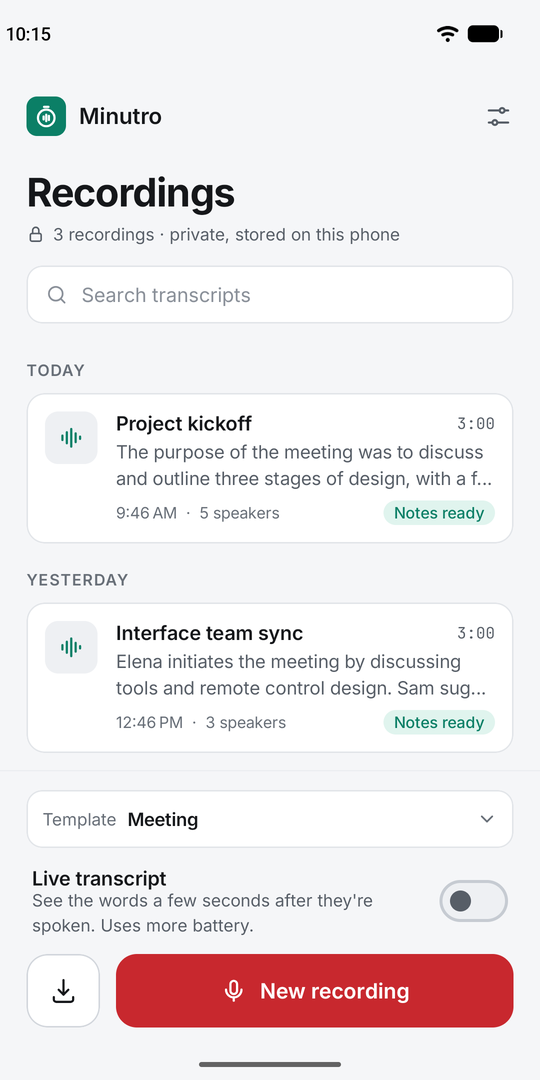
Minutro records your meetings, lectures and conversations, then writes the transcript and the notes on your phone. No cloud, no account, no subscription. It even works in airplane mode.
- Works offline
- 99 languages
- No account
- Markdown export
Android 9 or later. Free to try; Premium is a one-time purchase.
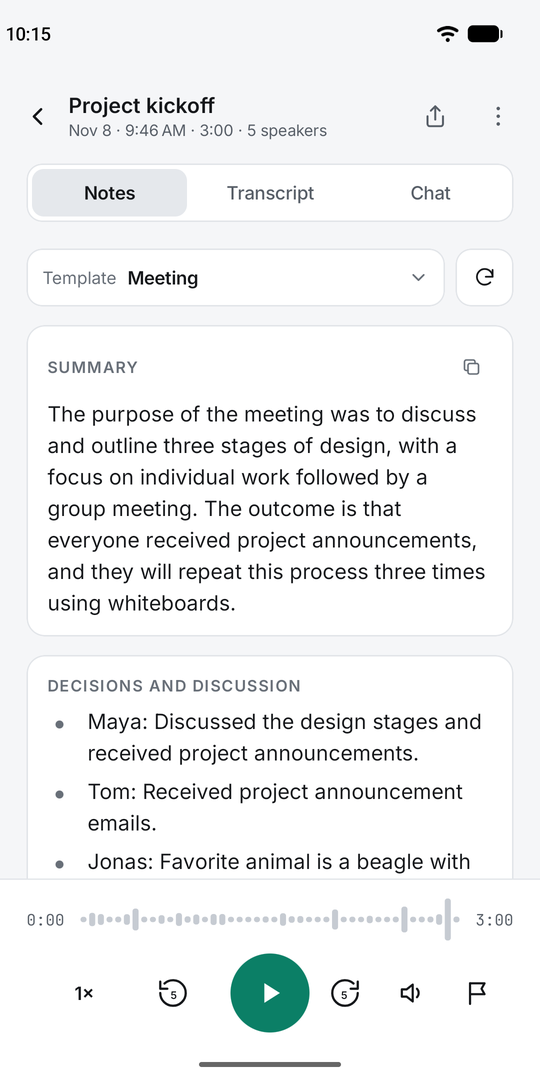
Record. Transcribe. Get the notes.
Everything runs on your phone's processor with open AI models: Whisper for speech, and a small language model for the notes.
Record anywhere
One tap, with the screen off or the app in the background. Pause, resume and mark moments from the notification. Or import audio and video files.
Accurate transcripts
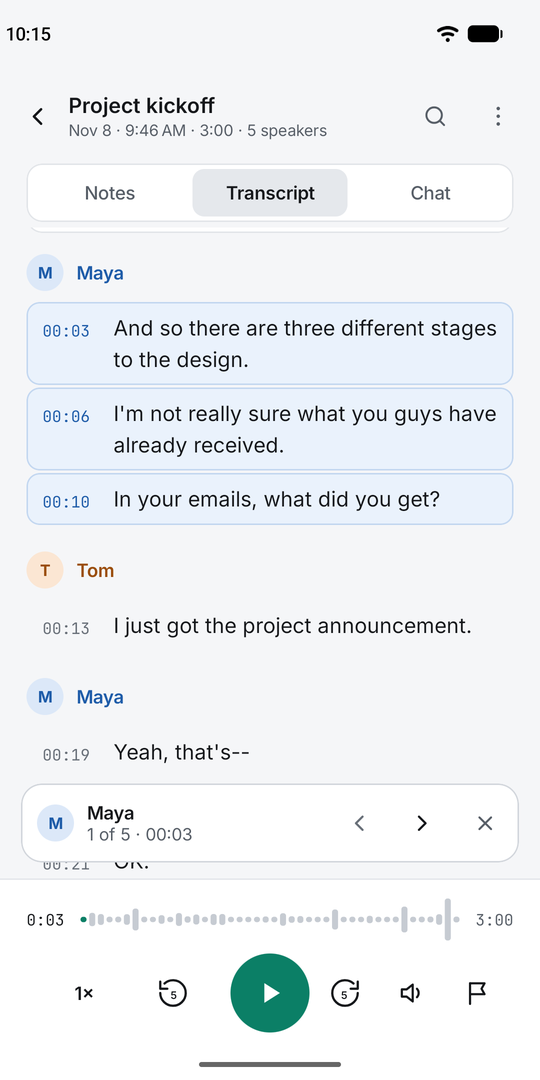
99 languages with timestamps. Tap a line to hear it, long-press to fix it. Add names and jargon so they're spelled your way.
Notes that write themselves
Summary, key points and action items, with templates for meetings, lectures, interviews, sales calls, therapy sessions and journals.
Know who said what
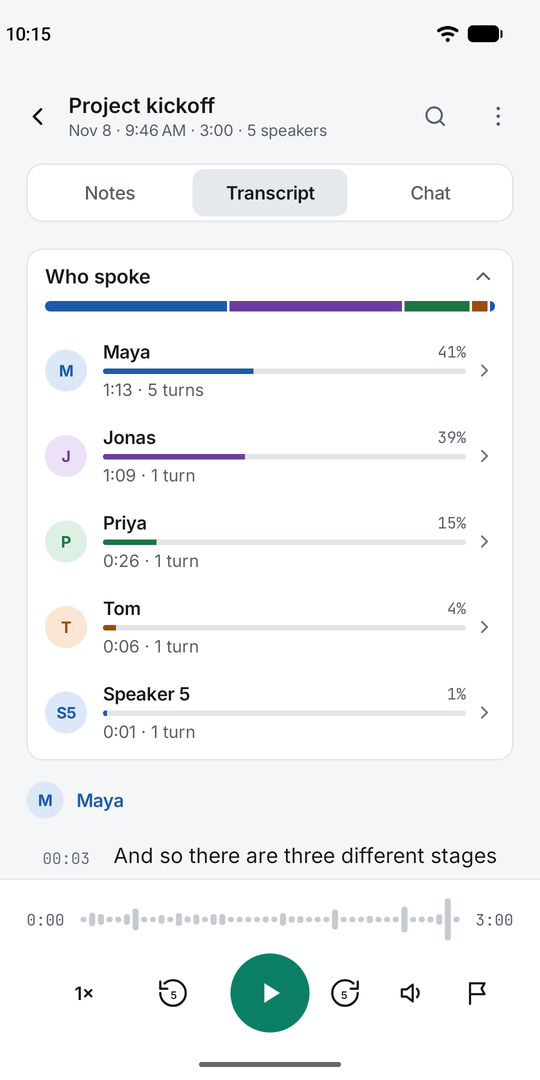
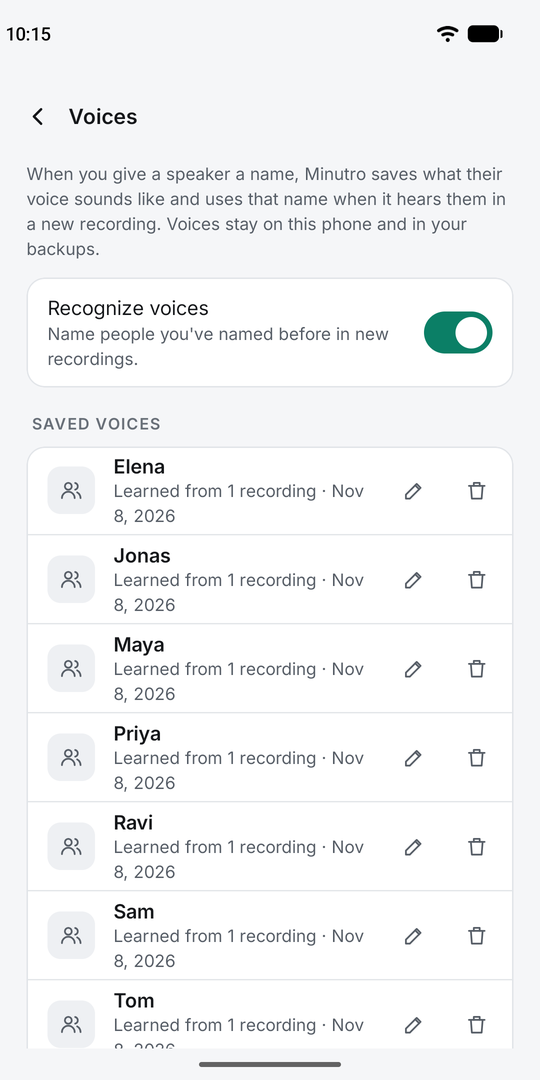
Speaker labels you can rename, and "Who spoke" shows how long each person talked. Step through everything one person said.
Your files, your way
Markdown notes for Obsidian, Notion, Drive or email. Plain WAV audio. Back up everything to one file and restore it on a new phone.
Find anything
Search every transcript at once and jump straight to the moment something was said.
Private by design, not by promise.
Minutro has no servers, so there's nowhere for your recordings to go.
- Audio, transcripts, notes and saved voices are stored and processed only on your phone.
- No account, no analytics, no ads, no tracking.
- The internet is used only to download the AI models once, from Hugging Face, and for purchases through Google Play.
- Anything you export or share goes only where you send it.
Read the full privacy policy.
Questions
Does it really work without internet?
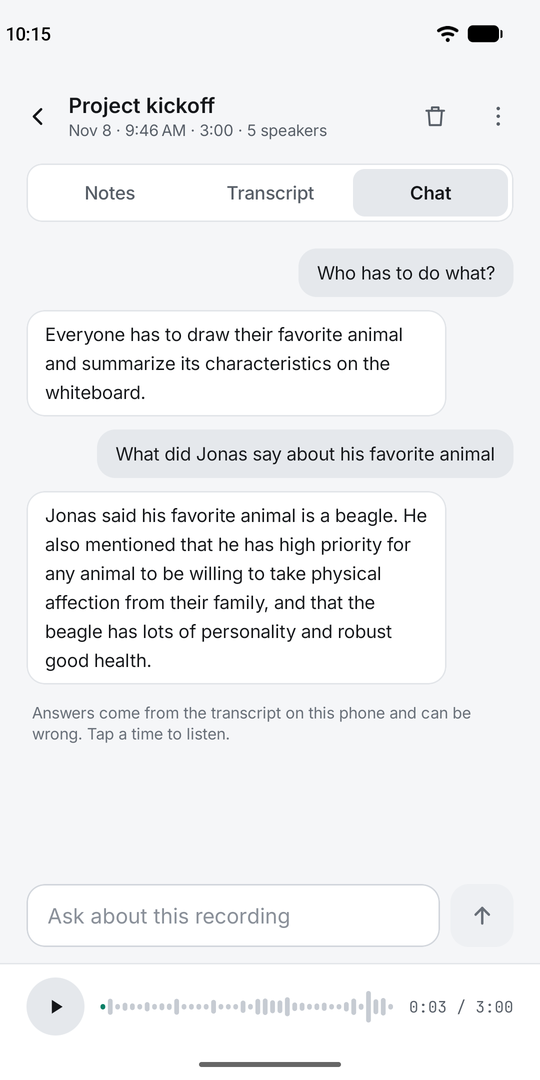
Yes. After the AI models are downloaded once, recording, transcription, speaker labels, notes and chat all work in airplane mode.
How big are the downloads?
About 200 MB for transcripts and about 1.1 GB for notes. Use Wi-Fi for the first setup. You can pick smaller or larger models in Settings.
Which phones does it run on?
Android 9 or later on a 64-bit phone from about 2018 on. Notes need 6 GB of RAM or more. A long recording takes a while to process because everything runs on the phone; Minutro keeps working in the background.
Can it record Zoom or Teams calls?
It records what the phone's microphone hears, so it works for meetings in the room and calls on speaker. You can also import a recording you made elsewhere.
Is it a subscription?
No. Premium is a one-time purchase through Google Play, and it stays yours on every phone signed in to the same Google account.
Do I need permission to record people?
Always tell people when you're recording. The rules differ by country and state, and some places require everyone's consent.